
Guide
Your first day
From creating your pilot to your first sale. Your hub, your escape pod, undocking, your first mining run and the market.
Welcome, pilot. This guide takes you from your first login to your first sale. You don't need money or a company for any of it: your escape pod is enough.
1. Create your pilot
- Pick a faction. It is permanent. It decides where you start and which commanders you can equip. Ships are open to everyone, and you can dock at any hub. See Factions & hubs.
- Pick a starter commander. Every faction has four free starter commanders. They give no bonuses: you are choosing a portrait and a race. Better commanders come later (see Commanders).
- You start docked at your faction's hub. A hub is a space station with a market, companies, job offers and a university. It becomes your home hub: you are a citizen there, which matters for market taxes, and it is where you come back when you die or get rescued.
| Faction | Home hub | Hub currency | Escape pod |
|---|---|---|---|
| Raiders of the Abyss | Eye of the Kraken | Eye of the Kraken Fang (EKF) | SKAR Stubby |
| Order of the Sacred Profit | Black Star | Black Star Tithe (BST) | ITI Zero Form |
| Knowledge Wardens | Primal Garden | Primal Garden Seed (PGS) | LAL Toad |
| Galactic Conglomerate | Crown Meridian | Crown Meridian Crown (CMC) | MD-110 Solenne |
2. What you start with
- An escape pod of your faction, with full hull and a full tank of Starter Fuel. Starter Fuel is free at every hub.
- Five starter parts already fitted: an engine, a shield, a weapon that needs no ammo, a mining laser and a radar.
- 100 stamina, your pilot's energy. Mining, working and studying spend it. Read Stamina & food early.
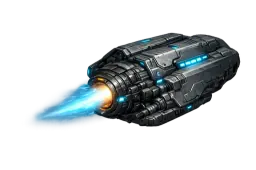
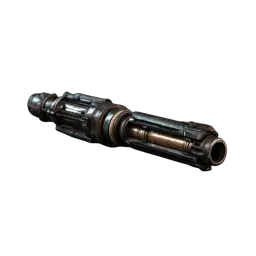
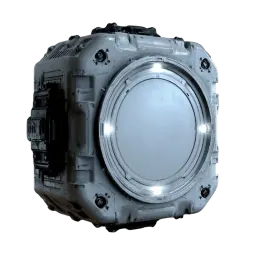
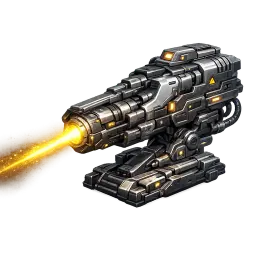
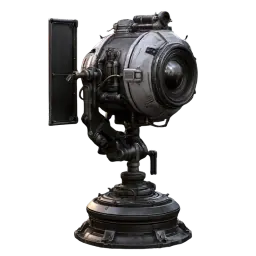
Good to know: the escape pod and the starter parts can't be sold, and the pod can never be destroyed. If you lose a better ship one day, you'll be back in a pod, never stuck with nothing.
3. Find your way around the hub
Your docked ship sits in the hangar, with the hub's sections around the UNDOCK button:
| Section | What it is for |
|---|---|
| Overview | Everything at this hub at a glance. |
| Market | Buy and sell with every pilot at this hub. |
| Jobs | Paid work shifts at the companies of this hub. |
| Exchange | The stock exchange: company shares. |
| University | Study knowledge and research blueprints. |
| Companies | Every company registered here, and where you register your own. |
| Organization | Your organization (guild) and the ones recruiting. |
| Chronicle | The news of this region. |
Two more things to know:
- The ship card (bottom left) shows your hull, fuel and cargo, with Repair (currently free), Refuel and Ship buttons.
- Your storage (vault) belongs to the hub. What you leave at a hub stays at that hub, and you only see the vault of the hub you are docked at.
4. Undock and fly
Press UNDOCK. You need an engine, fuel in the tank and a ship that is not too heavy for its engine. Your pod has all three.
The main controls (press C in space to see them all):
| Key | Action |
|---|---|
| Right-click | Move there |
| E | Main action nearby: land, scan, use a fuel station, enter a portal |
| R | Radar scan: everything around you, by distance |
| M | Galaxy map |
| S | Your ship |
| J + left-click | Warp jump inside the system. Needs a warp drive, and the pod has none. |
Distances are in AU. Before you set off on a trip, the panel shows the travel time and the fuel it will cost.
5. Your first mining run
You can't mine at a hub. You mine on other planets and moons, or on asteroids.
- Go to a planet and press Land Here, or fly close to an asteroid.
- Scan. The list shows only the raw materials your radar can see, and tells you whether your laser can extract them. With the starter parts you can mine the five Common raws, such as Iron Ore and Carbon.
- Pick a raw and a duration. Stamina is paid up front, when you start.
- Get your units.
- On a planet: the units are reserved for you, and you get them all at once when you press Collect at the end.
- On an asteroid: units arrive one by one while you mine. Moving stops the mining.
Your hold is a weight budget, not a number of slots. See Cargo weight & speed. The whole system, including how to reach rarer raws, is in The mining ladder.
6. Come home and sell
- Dock. Fly close to your hub and press Dock. The ship flies into a bay of the station on its own.
- Store your cargo. Move it to your vault if you like. You can sell from the cargo or from the vault.
- Sell. Open the Market, choose what to sell and set a price. The order stays listed until a buyer takes it or you cancel it.
The buyer pays your price. Taxes come out of your side: about 6% at your home hub, a little more elsewhere. The Sell tab shows what you will receive before you list. Details in Market & currencies.
Tip: Common raws are cheap, but everybody needs them. Iron Ore and Carbon go into the very first production machine in the game, the Basic Assembler.
7. Stay safe
- Stay in green (Safe) systems at first. Nobody can attack you there, and dying there costs nothing. In yellow and red systems you can lose your cargo, and in red your ship too. Read Zones, PvP & death before you go further.
- If you run out of fuel, an Out of fuel button appears. Pods and other ships that burn Starter Fuel get one free rescue home every 24 hours, and they usually keep their cargo. See Fuel & fuel stations.
Where to go next
- Earn money without owning anything: take a shift from the Jobs screen. See How production works.
- Climb the mining ladder: The mining ladder.
- Start your own business: Your first company and license.